Often we need to have different parts of a website talk to each other. This can get tricky when we are using multiple technologies and need the communication in real-time. Going from flash to html is done through javascript on the browser side and in actionscript we use something called ExternalInterface. The ExternalInterface class is an application programming interface that enables straightforward communication between ActionScript and the SWF container– for example, an HTML page with JavaScript or a desktop application that uses Flash Player to display a SWF file. We can send things form actionscript to javascript as well as from the html and javascript into flash and actionscript.
I’ve written about this before. It got old though and I had reports that it was having issues in certain browsers, so I had a minute to look at it and decided it needed a rebuild. This version uses as3 and swfobject. I was tempted to throw jQuery in there as well, but didn’t want to confuse anyone. This is simple javascript. I did have to throw some css3 on it for style though. I did use swfobject because it makes life easier, but it’s not required.
So, just like in as2, communication between actionscript and javascript still requires our friend ExternalInterface to link them but the setup/syntax changed a bit with as3. From the docs here are a few pointers of what we can accomplish with External Interface:
From ActionScript, you can do the following on the HTML page:
- Call any JavaScript function.
- Pass any number of arguments, with any names.
- Pass various data types (Boolean, Number, String, and so on).
- Receive a return value from the JavaScript function.
From JavaScript on the HTML page, you can:
- Call an ActionScript function.
- Pass arguments using standard function call notation.
- Return a value to the JavaScript function.
It’s really cool that we can pass various data types. Here I’ve got an example that simply sends a string back and forth. We have the actionscript to javascript lane as well as the javascript to actionscript lane. So to set it up we need to know the names of our functions. Here I’ve tried to name them exactly what they are. There is a function in my javascript to both send and receive text to actionscript. Also, there are corresponding functions in my actionscript code: one to send and one to receive. These functions pass the data back and forth.
The magic is set up with the call and addCallback methods of ExternalInterface.
To call a javascript function from actionscript we use the call method. The first argument is the name of the javascript function as a String and any following (optional) arguments are the parameters that are passed to said function. So we need a function in the javascript on that page which is set up to accept some data or at least set up to do something (we don’t actually have to pass data, it could be just a trigger for something on the page). Then in our actionscript we call:
ExternalInterface.call("name_of_js_function", "data passed to js");
Then to go back from javascript to actionscript there is a little bit more set-up involved. We will use the addCallback method here and this sets the actionscript function to be able to accept a call from javascript. The first argument is the function name in javascript (again as a String), and the second argument is the function name in actionscript that you want to be called:
ExternalInterface.addCallback("name_of_js_function", name_of_as3_function);
Then you write your actionscript function to do what you want:
function name_of_as3_function():String {

//do something

return something;

}
Demo
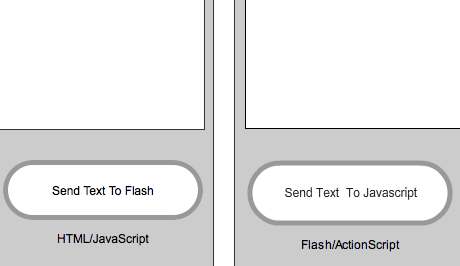
If that doesn’t make sense try the demo to see it in action. I’ve got the source code listed on the demo page as well as the working example.
Source Code
JavaScript
[cc lang=”javascript”]
function receiveTextFromAS3(Txt) {
document.getElementById(‘htmlText’).value = Txt;
}
function sendTextToAS3(){
var Txt = document.getElementById(‘htmlText’).value;
var flash = document.getElementById(“as3_js”);
flash.sendTextFromJS(Txt);
document.getElementById(‘htmlText’).value = “”;
}
var flashvars = {};
var params = {};
var attributes = {};
attributes.id = “as3_js”;
//attributes.name = “as3_js”;
swfobject.embedSWF(“AS3_Javascript.swf”, “alt”, “450”, “450”, “9.0.0”, false, flashvars, params, attributes);
[/cc]
HTML
[cc lang=”html”]
[/cc]
Actionscript – AS3
[cc lang=”actionscript”]
import flash.external.ExternalInterface;
//Set up Javascript to Actioscript
ExternalInterface.addCallback(“sendTextFromJS”, receiveTextFromJS);
function receiveTextFromJS(t:String):void {
theText.text = t;
}
//Actionscript to Javascript
function sendTextFromAS3(e:MouseEvent):void {
ExternalInterface.call(“receiveTextFromAS3”, theText.text);
theText.text = “”;
}
button.addEventListener(MouseEvent.CLICK, sendTextFromAS3);
button.buttonMode = true;
[/cc]
Source Files
If that doesn’t make sense try the demo to see it in action. I’ve got the source code listed on the demo page as well as the working example.
function receiveTextFromAS3(Txt) {
document.getElementById(‘htmlText’).value = Txt;
}
function sendTextToAS3(){
var Txt = document.getElementById(‘htmlText’).value;
var flash = document.getElementById(“as3_js”);
flash.sendTextFromJS(Txt);
document.getElementById(‘htmlText’).value = “”;
}
var params = {};
var attributes = {};
attributes.id = “as3_js”;
//attributes.name = “as3_js”;
swfobject.embedSWF(“AS3_Javascript.swf”, “alt”, “450”, “450”, “9.0.0”, false, flashvars, params, attributes);
[/cc]
import flash.external.ExternalInterface;
ExternalInterface.addCallback(“sendTextFromJS”, receiveTextFromJS);
function receiveTextFromJS(t:String):void {
theText.text = t;
}
function sendTextFromAS3(e:MouseEvent):void {
ExternalInterface.call(“receiveTextFromAS3”, theText.text);
theText.text = “”;
}
button.addEventListener(MouseEvent.CLICK, sendTextFromAS3);
button.buttonMode = true;
[/cc]
Great! Many thanks for this – it’s exactly what I need.
However, this demo works fine on Mac/FireFox, but not at all on PC (WinXP Pro 2002 Service Pack 3 – IE8/FireFox), so it hasn’t really solved the problem. 🙁
Hi Evan,
The example of “Actionscript (as3) Javascript Communication | Call Flash to and from javascript” works OK on your website, but when I dowloaded the Zip and run on my desktop, it does not work. I can’t either pass the data from flash to html, or from html to flash. I have WINDOWS XP 2002 SP 3, IE 8.
Thanks,
TB
Hey TB, it sounds like you’re trying to use the javascript/flash communication locally on your computer? I would guess there are some security issues at play here and either the browser and/or the flash player are blocking the calls. Is there a reason you’re trying to do this locally? Have you tried to upload it to a server just to see if it works online?
I’m also having some trouble getting this to run, as far as I can tell it is a security issue: trying to register my callback in my AS3 code with ExternalInterface.addCallback results in a SecurityError being thrown. I’ve tried passing allowScriptAccess: “always” on the swfobject.embedSWF ‘params’ parameter object, but I’ve had no luck getting it to work (yet)
I figured out what was causing my trouble; I was running from my local filesystem (i.e. file:///home/hans/prog/test.html), but flash applications run with different security settings locally. I solved it by simply adding /home/hans/prog to the paths that are always trusted using the Global Security settings for Flash Player at http://www.macromedia.com/support/documentation/en/flashplayer/help/settings_manager04.html
I also had another problem when toying (your example code doesn’t have this problem though) with the code that might be worth a mention, getting a handle to the Flash OBJECT element using document.getElementById(“as3_js”) does not work immediately after calling swfobject.embedSWF(), but it is possible to supply a callback function that embedSWF calls when the swf has been embedded. (This one had me scratching my head for a while)
Thanks for posting that URL. I was stuck all morning try to figure that problem out.
Ok, sorry for all the comment spam, but another probably relevant issue I just ran into is that after swfobject.embedSWF() calls the given callback for when embedding a flash movie is complete, the exposed callbacks exposed from Flash aren’t immediately available yet either. I suppose I’m just going to have to ensure I don’t call any of them directly from my document’s onload event handler, but only in response to user interaction like most of the ExternalInterface examples do.
I hope you aren’t bothered by my replies but since this is the first hit I got when googling for ExternalInterface information I figured it might be helpful to detail the problems I ran into here 🙂
Hans,
Thanks for the updates! I hope they help the community better use these solutions. I have also found that relying on user interaction is a much better process than trying to do these external interface calls on page load or something similar. Thanks for sharing!
I’m new to working with flash. I am currently developing a flex application. I need my JSP page to communicate with my actionscript. Flex produces a separate as file from swf file, yours seems inline.
May i know what object is “as3_js” attributed to? how can I replace it? thanks.
Here’s a more specific question — how can I control FLV video (via, I can only assume in the AS 3 world, the FLVPlayback component) via Javascript-ed controls. I.E>, some links/buttons in the HTML world that would play, pause, stop seek to time, etc. in FLV video. ANy ideas/sample code you could provide would be hugely appreciated. Thanks!
what about this
http://www.permadi.com/tutorial/flashjscommand/
Hello,
I’m trying to get this working but Firebug keeps telling me that
flash.sendTextFromJS is not a function. Any help is greatly appreciated.
@Scott
Hey, do you have some code I can inspect? Note that ‘flash’ is an object referencing the flash element by id. If you don’t have that part right the browser won’t know what to do with the function. Hope that helps!
The thread is an old one but let me contribute for some others who will reach there. I almost made a similar coding and tested it on my local PC and it was working fine but when i upload it on server then it was not getting the javascript to call teh flash functions. So after many searches and hours of searching, I foudn somewhere that I need to put Security.allowDomain(‘*’);
this had made my life a little bit easier and js started to call as3 functions.
Unexpected file format when trying to open with flash 8, any advices?
This code is in as3.
I have solved that problem by installing cs 5.5 suite and the file opens.
Hai all. i am recently (6/2/1023) submitting reply for this for others who coming to
this blog newly.
the zip file i downloaded has worked from as3 -> js perfectly in local system itself.
but js -> as3 function calling was not worked.The solution i got is in as3 code in importing are put ” flash.system.security.allowDomain(“*”); ”
and compile the flash file and checked.its working .
also we have to do that click controlpanel-flash-click it-panel will open-select advanced-then trusted sites-copy the path of the swf file location which we included in application.paste there-conform it.then refresh the page and play.
i am talking about local system only not about server.
And i was searching this as3-js communucation and found here.Thanks for this sample code and the comments of all.
Hi,
I need help for a js function that works well on Safari, Firefox, Chrome.. But still give problems with IE (9 & 10)
It was coded by a person who can’t help me anymore, and for my part I’m really lost.
the js displays 2 buttons on a swf movie. The first one switch off the sound, the second one displays Fullscreen
Here is the code. Maybe someone can tell me how to fix the bug in IE ?
Thanks for any help !
//——-
var musique = true;
function gerechangementMusique()
{
document.getElementById(‘maquette_bandeau’).sendTextFromHtml(‘musique’)
if(musique)
{
document.getElementById(‘musique’).value=”Rétablir musique”;
musique = false;
}
else
{
document.getElementById(‘musique’).value=”Couper musique”;
musique = true;
}
}
//——-
Excellent, very clear.
Thanks!
Now try sending \ from js to as…